SWOT Analysis for Teams
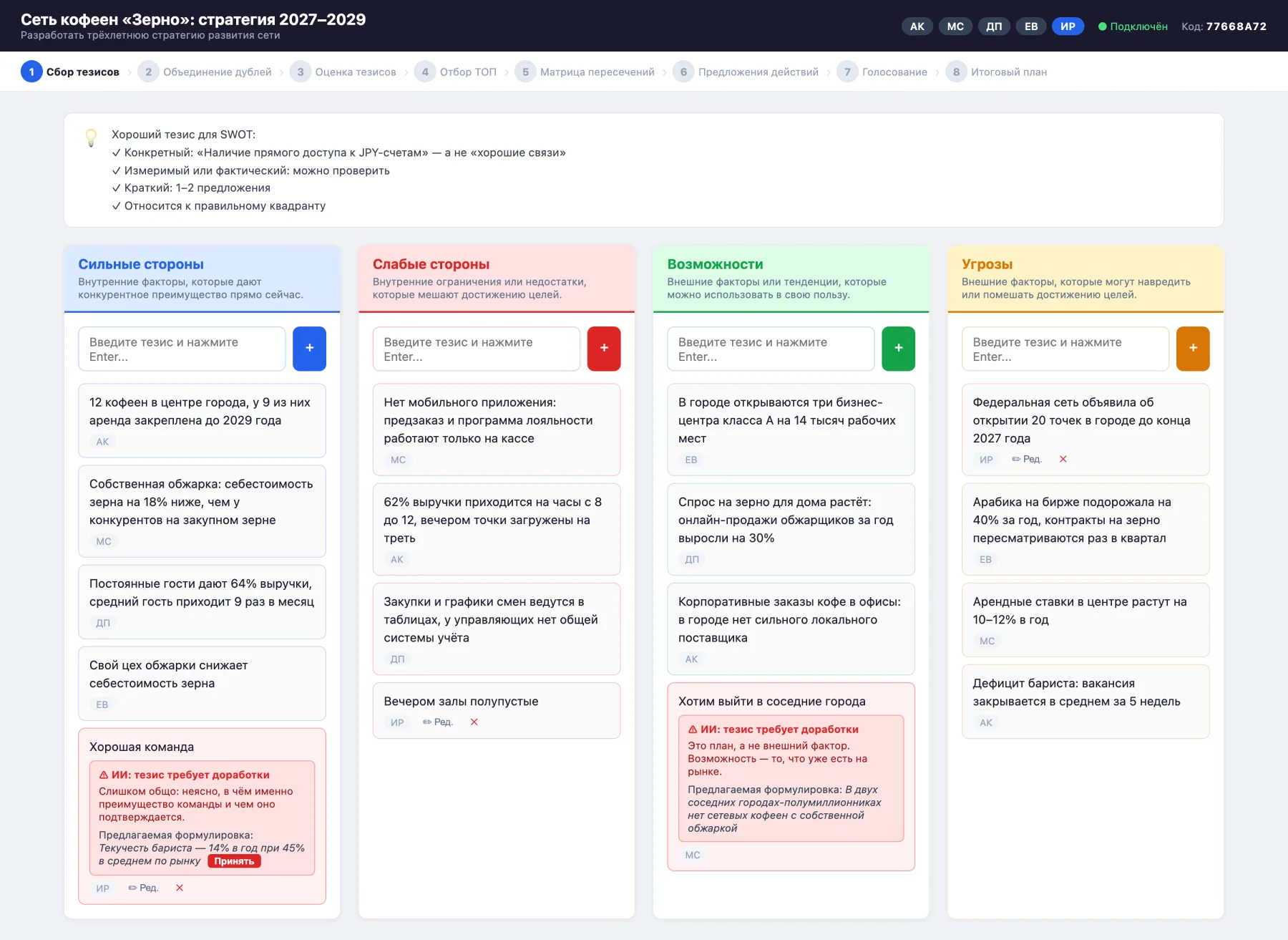
A strategy workshop where the whole team works at the same time: everyone writes on their own device, while AI helps with wording and suggests what to merge and where to look for solutions.
- 8stages, from first statements to an action plan
- 3places where AI helps: wording, duplicates and the matrix
- 0sign-ups: a participant opens a link and types their initials
- 1Excel file as the output: scored statements, the matrix and the plan
Usually one person at the whiteboard writes the SWOT
In a typical session the loudest people do the talking, the moderator writes down what they can, and half the time goes to arguing about wording. An hour later the board holds a list of generalities that leads to no action.
Here everyone writes for themselves, at the same time as everyone else. AI checks the wording on the fly, scores and votes are collected without arguing out loud, and the team leaves with a ranked action plan rather than a list of observations.
Everyone in one session, each on their own device
- Join by link
- The moderator creates a session and shares the link. A participant needs only the session code and their initials — no sign-up, nothing to install.
- Everything in real time
- A statement, a score or a vote shows up for everyone right away. Nobody waits for their turn to speak.
- You can see who did what
- Every statement and action carries its author's initials, and the scoring stage shows who has already scored. Authors can edit and delete their own statements.
- The moderator runs the session
- They switch stages, approve merges and pick the statements for the matrix. Everyone else sees the same screen, without the controls.
- A dropped connection is no problem
- The session is stored on the server. If a participant loses their connection, the app reconnects on its own and brings them back to the same stage.
An assistant, not the author
AI deletes nothing and decides nothing on its own: a person accepts or rejects every suggestion.
- Wording
- AI checks every new statement: is it specific, is it a fact or a wish, is it in the right quadrant. If not, it explains what is wrong and suggests a wording the author can accept in one click.
- Duplicates
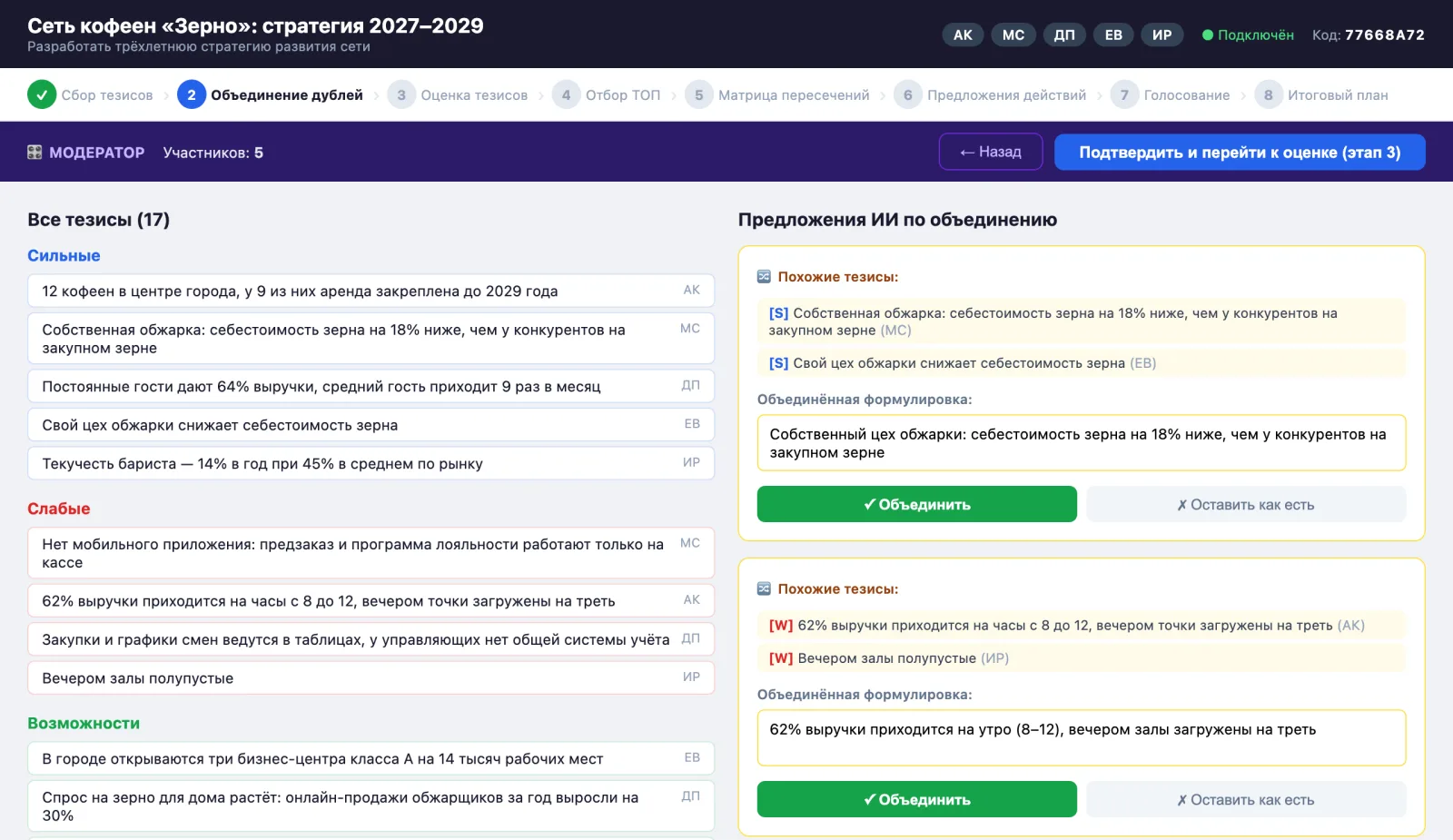
- Once collection is closed, AI finds statements about the same thing and suggests a shared wording. The moderator merges them, edits the text or leaves them as they are.
- Matrix
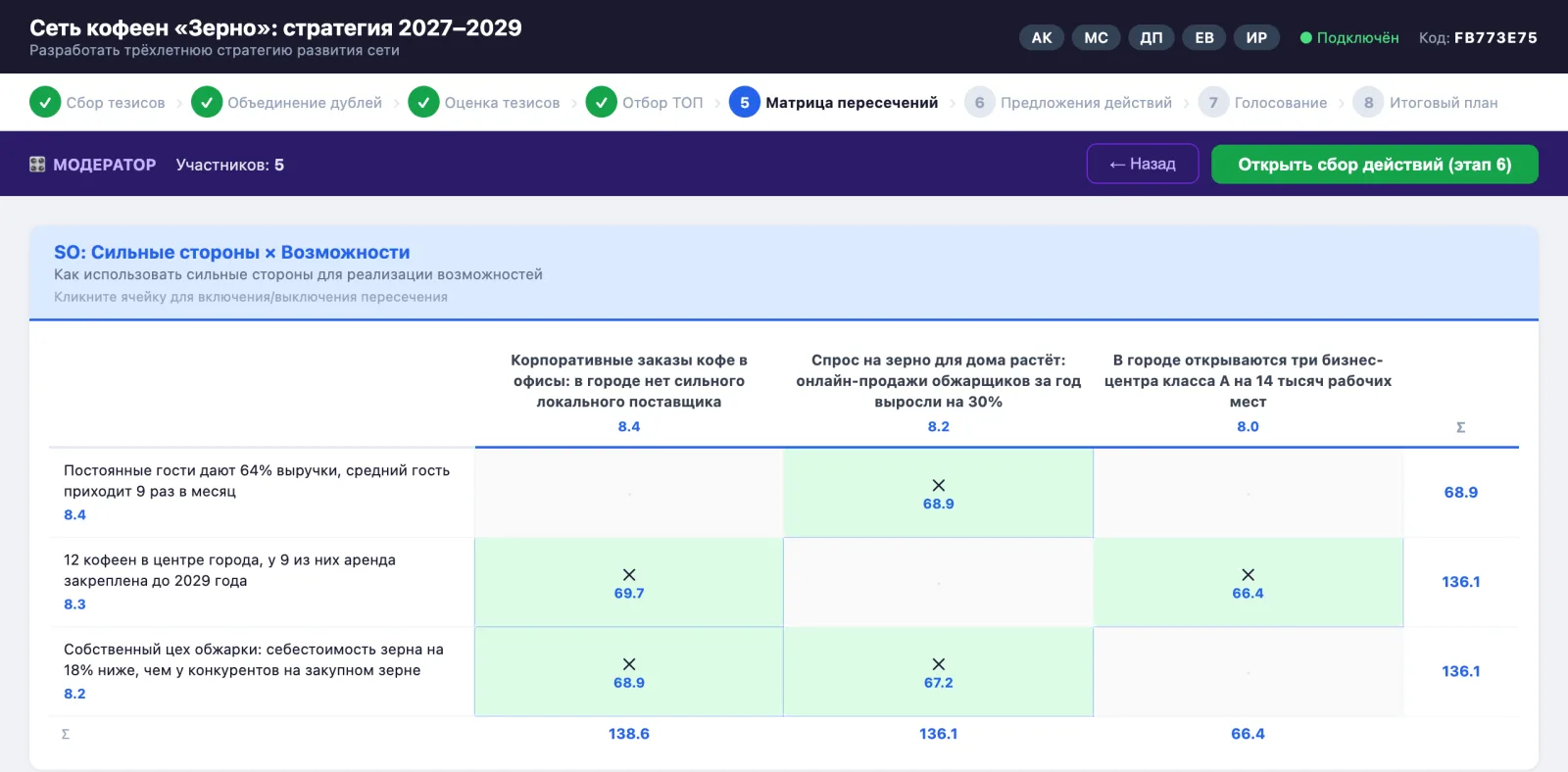
- AI marks in advance which strengths and weaknesses relate to which opportunities and threats. The moderator turns intersections on and off with a click.
Eight stages
A stage bar runs across the top of the screen: everyone sees where the team is now and what comes next.
01Collecting statements
Everyone writes at once into four quadrants: strengths, weaknesses, opportunities and threats.
02Merging duplicates
Similar statements are merged into one, and the list gets shorter and cleaner.
03Scoring
Everyone scores every statement on two scales from 1 to 10: impact on profitability and on competitive advantage.
04Selecting the best
Using the average scores, the moderator picks 5–8 statements per quadrant for the matrix.
05Intersection matrix
Four matrices: strengths and weaknesses against opportunities and threats.
06Proposing actions
For each intersection, participants propose concrete actions. The intersections with the highest weight come first.
07Voting
The team votes for the best actions in each intersection.
08Final plan
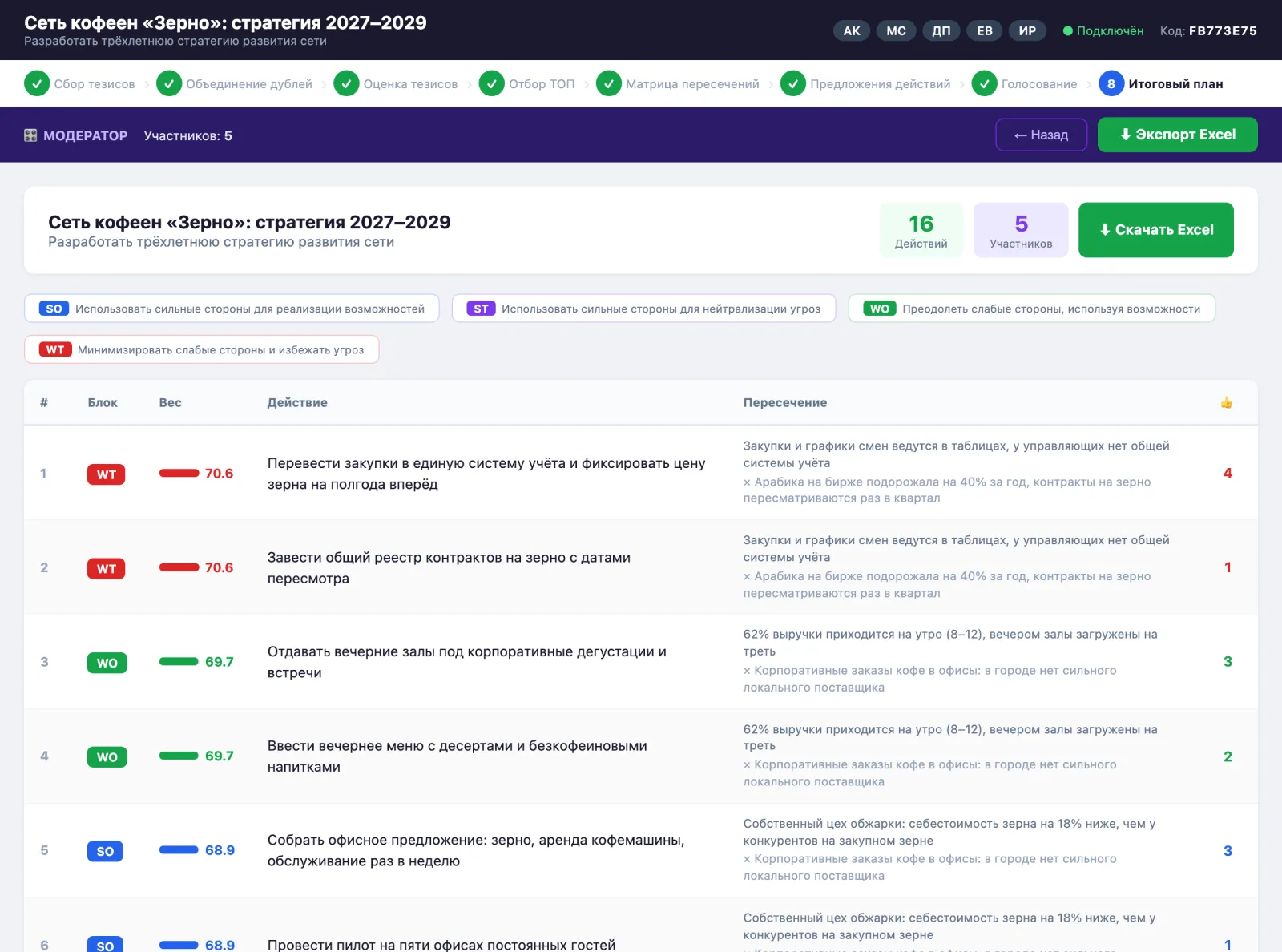
Actions ranked by weight and votes — on screen and in an Excel file.
A plan, not a list of observations
Every action in the plan is tied to the pair of statements it grew out of, so it is clear why it is needed.
- Weight instead of arguments
- The order of actions is set by the whole team's scores and votes, not by whoever spoke last.
- Excel file
- Three sheets: all statements with scores and authors, the matrices with intersection weights, and the final plan. The file can go straight to those who missed the session.
The session must not stop
- One state for everyone
- The session lives on the server and is written to disk after every change. Participants' screens only mirror it, so everyone always sees the same picture.
- Confirmed saves
- The server explicitly confirms the moderator's key steps, such as picking statements for the matrix, with a “Saved on the server” message.
- AI does not block the work
- A statement shows up for everyone right away, and the check follows. If the model does not answer, the statement stays without notes and the matrix is filled in by hand.
- A fast model
- The hints come from Claude Haiku: in a live session an answer is needed within seconds, and the tasks are narrow — assess a wording, compare two statements, find a link.